Start with today's inventory question
Import the current scenario and prepare to observe replenishment and price-review signals separately.
Question for this chapter
How should replenishment and price adjustment be judged separately from today's data?
Why this matters now
Low inventory and a price above a competitor require different responses. Prepare one scenario and separate the two decisions that the final report must answer.
Try it
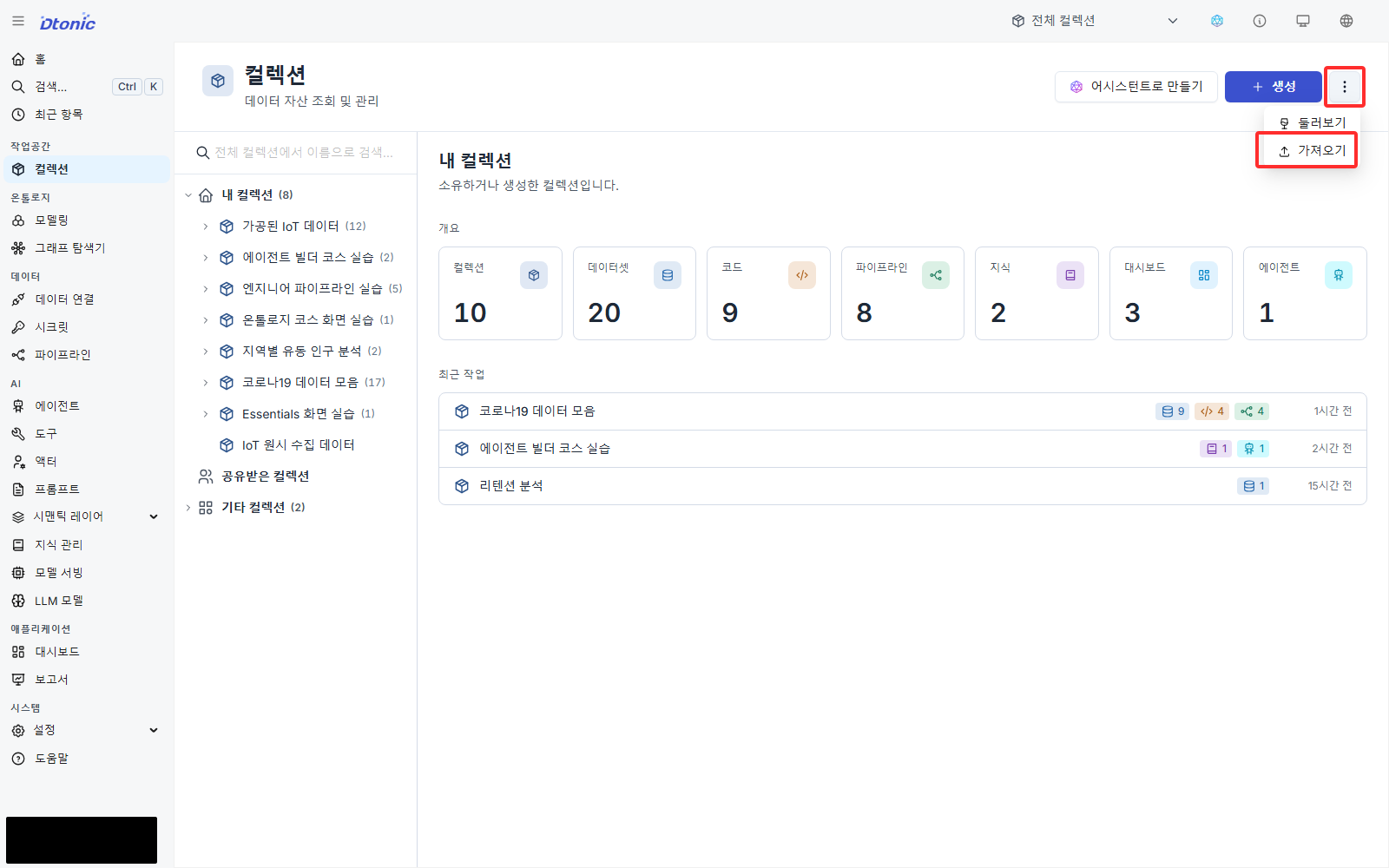
retail_inventory_intelligence.zip Download(1.5 MB)In the left sidebar, choose Collections → More → Import, then select the ZIP.
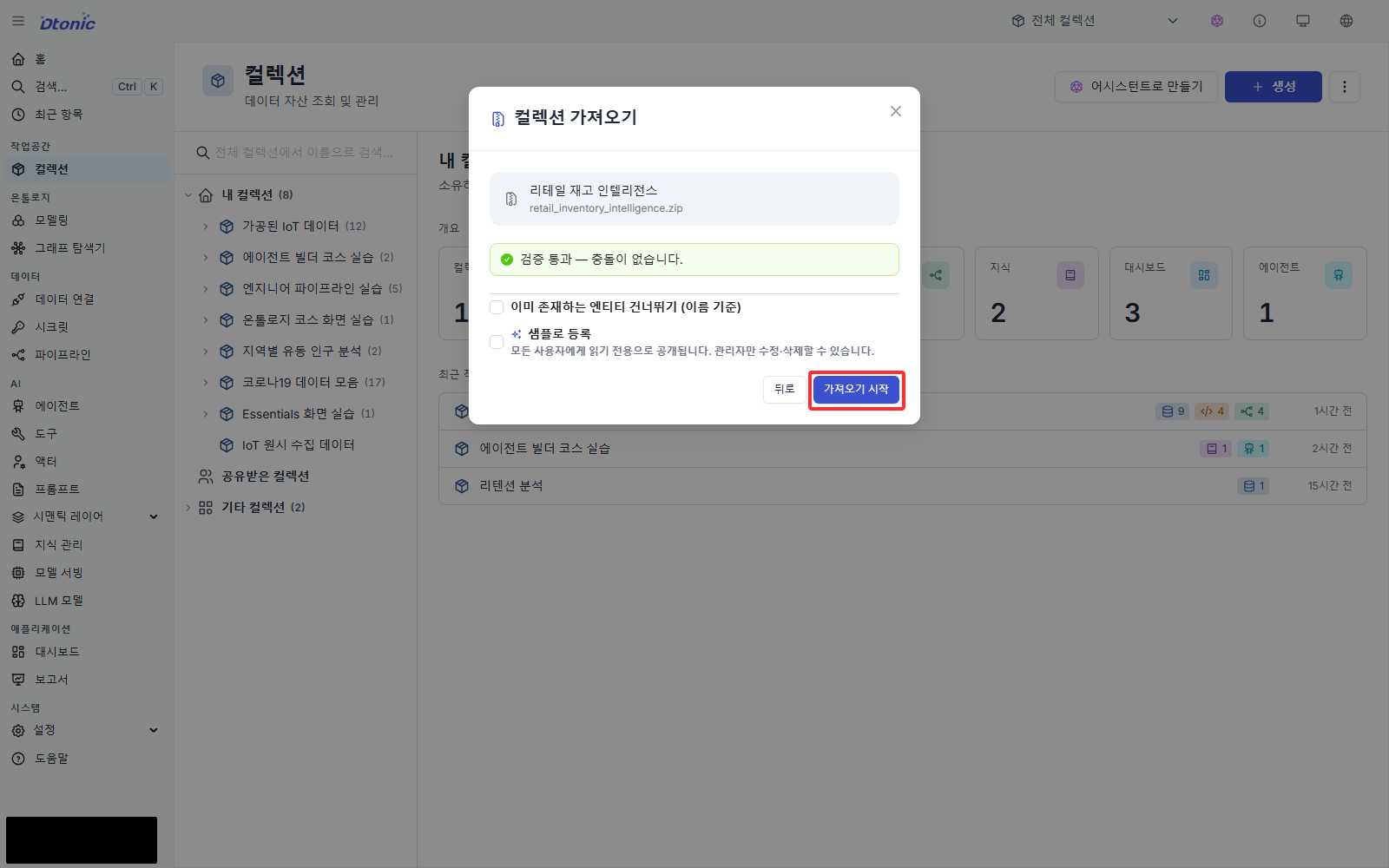
When validation shows no conflicts, select Start import.
When import completes, open Retail Inventory Analysis from the collection list.
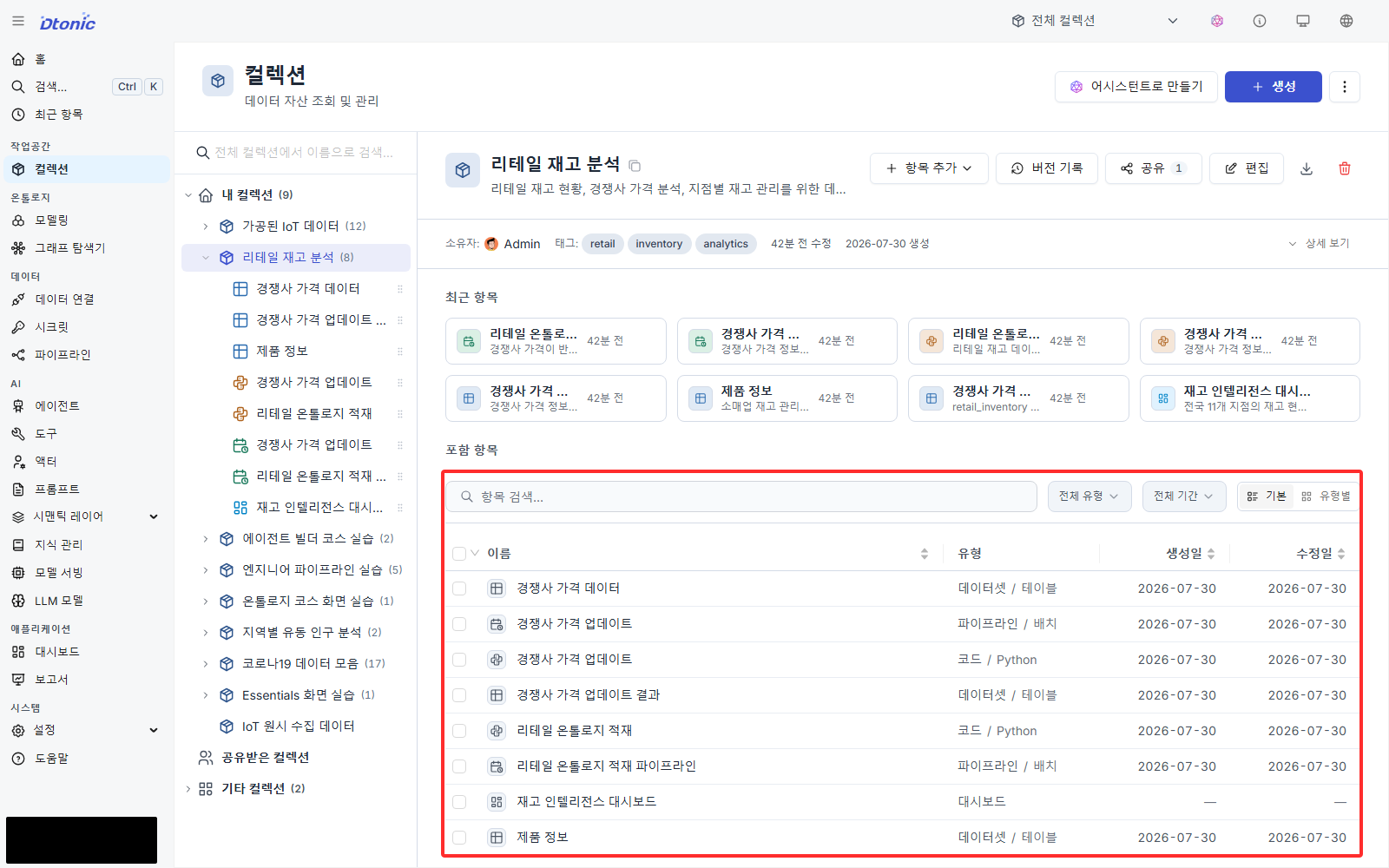
Success looks like this
The collection detail shows three datasets, two code assets, and two pipelines. Ontology and dashboard assets appear in their separate workspaces in the left sidebar.
Deep dive — imported asset inventory
| Asset type | Count | Contents |
|---|---|---|
| Collection | 1 | retail_inventory_intelligence |
| Datasets | 3 | retail_inventory, competitor_prices, update_competitor_price |
| Code | 2 | update_competitor_price, build_retail_ontology |
| Pipelines | 2 | update_competitor_prices, ontology_materialization |
| Ontology | 4 entities / 3 relations | Product, branch, region, supplier / stocked-at, located-in, supplied-by |
| Dashboard | 1 | inventory_overview |
| Tool and Agent | 1 each | ontology_graph_query, retail-assistant |
Manager support for importing tools and Agents varies by deployment version. Their absence does not affect the core practice.
Interpret the result
It is too early to select a branch. Remember only that stockout_risk_flag_synth is the replenishment
signal, while the difference between selling and competitor price is the price-review signal.
Next decision
Next, find the same product in Product Information and Competitor Price Data and verify that the two signals can be brought into one row.