Trace the customer through order, material, and date
Materialize the ontology and verify the selected customer's sales context in the graph.
Question for this chapter
Which customer, line, material type, and date connect to priority-review order 18622?
Why this matters now
Summary tables reveal patterns but make it harder to follow one transaction across several keys. The ontology exposes a path from customer through order and line to material and date.
Try it
Open the SAP Ontology Materialization Pipeline and select Run now. This optional step is not needed for the summary analysis; use it when you need to inspect the selected transaction's context.
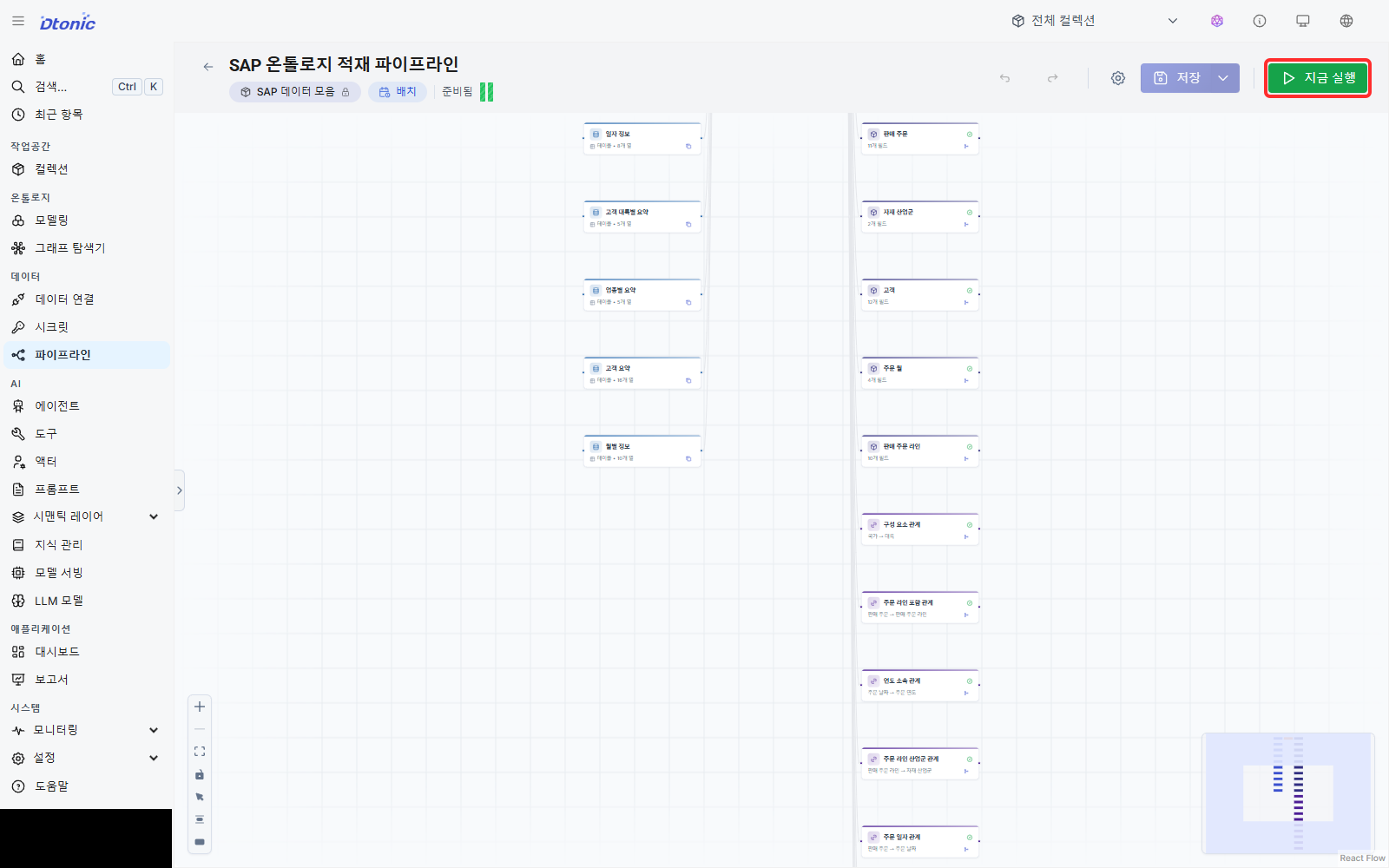
When the run completes, select the SAP ontology in Graph explorer and open the query console.
MATCH path=(c:sap_customer {customer_id: '300286'})
  -[:sap_customer_placed_order]->(o:sap_sales_order)
  -[:sap_order_has_line]->(l:sap_sales_order_line)
  -[:sap_line_material_type]->(m:sap_material_type)
MATCH datePath=(o)-[:sap_order_on_date]->(d:sap_order_date)
WHERE o.order_id = '18622'
RETURN path, datePath, c, o, l, m, d
LIMIT 25
The query starts at customer ID 300286 for Dynamic Industries, keeps only order 18622, and
returns its line, material type, and order date as connected paths. Switch the result to 3D and
select nodes to inspect their properties.
Success looks like this
A line connects the customer node to order 18622, its line, material type ZSER, and date
2017-01-13. If the graph shows unlabeled circles, select a node and read its name and ID in the
properties panel.
Interpret the result
The graph does not replace the aggregate conclusion. It verifies that the high-value pattern found in the summaries remains attached to one actual order-line context.
Next decision
The numbers and the relationship path now support the same conclusion. Next, check source joins, duplicate quality, transaction context, and training assumptions before the final month-end answer.