Permission model at a glance — Role · Collection · FGAC
Understand D.Hub's three permission layers—roles, collection permission inheritance, and FGAC—and configure access from the collection downward.
The admin's first answer is who can see what. D.Hub's permission model unfolds across three layers — this lesson aligns those three layers on one screen and locks down the first rule: permission grants always start from a collection.
The layers narrow scope from a collection to its assets and finally to data within a dataset.
Loading the diagram. Mermaid source:
flowchart TB
    accTitle: Collection-role inheritance and FGAC scope
    accDescr: A user or group receives a collection role that becomes the minimum role on sub-assets, may receive a higher direct role on one asset, and then sees columns and rows narrowed by FGAC.
    subject[User or group] --> collection[Collection role<br/>Reader, Writer, Owner]
    collection -->|minimum role inherited| dataset[Child dataset]
    collection -->|minimum role inherited| asset[Other child assets]
    direct[Higher direct asset role] --> dataset
    dataset --> fgac[FGAC<br/>column masks and row filters]
Three-layer permission model
| Layer | Granted on | Answers |
|---|---|---|
| Role | Collection / user or group | "Can they access the resource at all?" |
| Collection permission floor | Collection and sub-assets | "What minimum role do sub-assets inherit?" |
| FGAC (Fine-Grained Access Control) | Columns · rows of a dataset | "What data can they see?" |
The three layers stack together. Roles control allowed actions, the collection role becomes each sub-asset's minimum inherited role, and FGAC narrows what is visible within an accessible dataset.
Layer 1: The three roles
D.Hub's Role taxonomy is just three.
- Reader — Can view resources. Dataset previews, dashboard views, pipeline result checks.
- Writer (Editor) — Can create and modify. Register datasets, build pipelines, edit dashboards.
- Owner — Can grant permissions and delete. Assign roles to other users, delete the collection.
Grant a role on the collection first. A collection member can then receive a higher role on a specific sub-asset when needed.
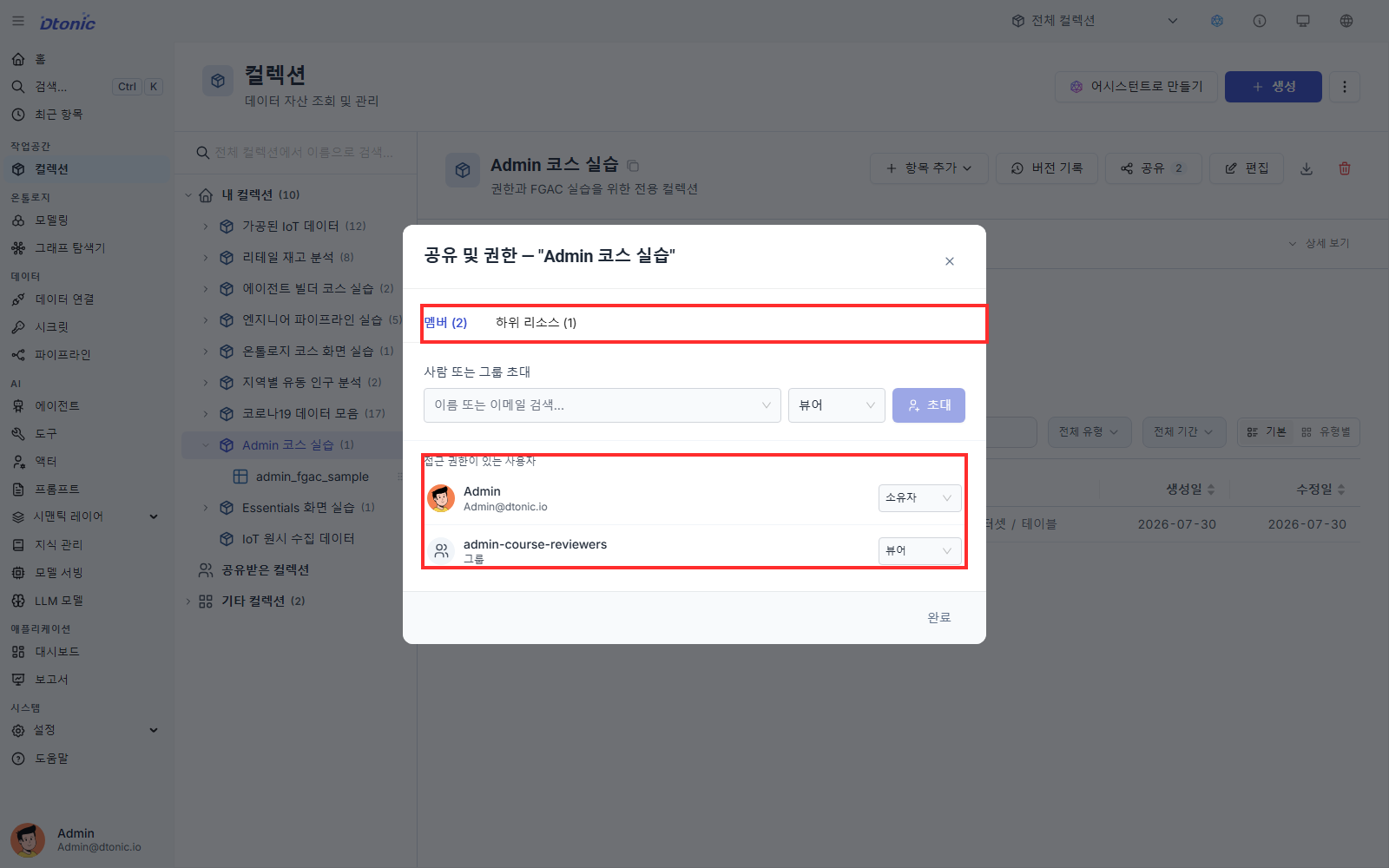
Layer 2: Collection permission inheritance
The role granted on a collection becomes the minimum permission inherited by every asset inside it. A sub-asset can add a higher direct role, but it cannot override the inherited role downward.
Concretely:
- User A has Reader on collection X, so Reader is inherited by every asset in X.
- If A is directly granted Writer on dataset D, A's effective role is Writer on D and remains Reader on the other assets.
Removing the direct higher role returns dataset D to the inherited Reader role. Removing collection membership removes the inherited role and the member's direct sub-asset grants.
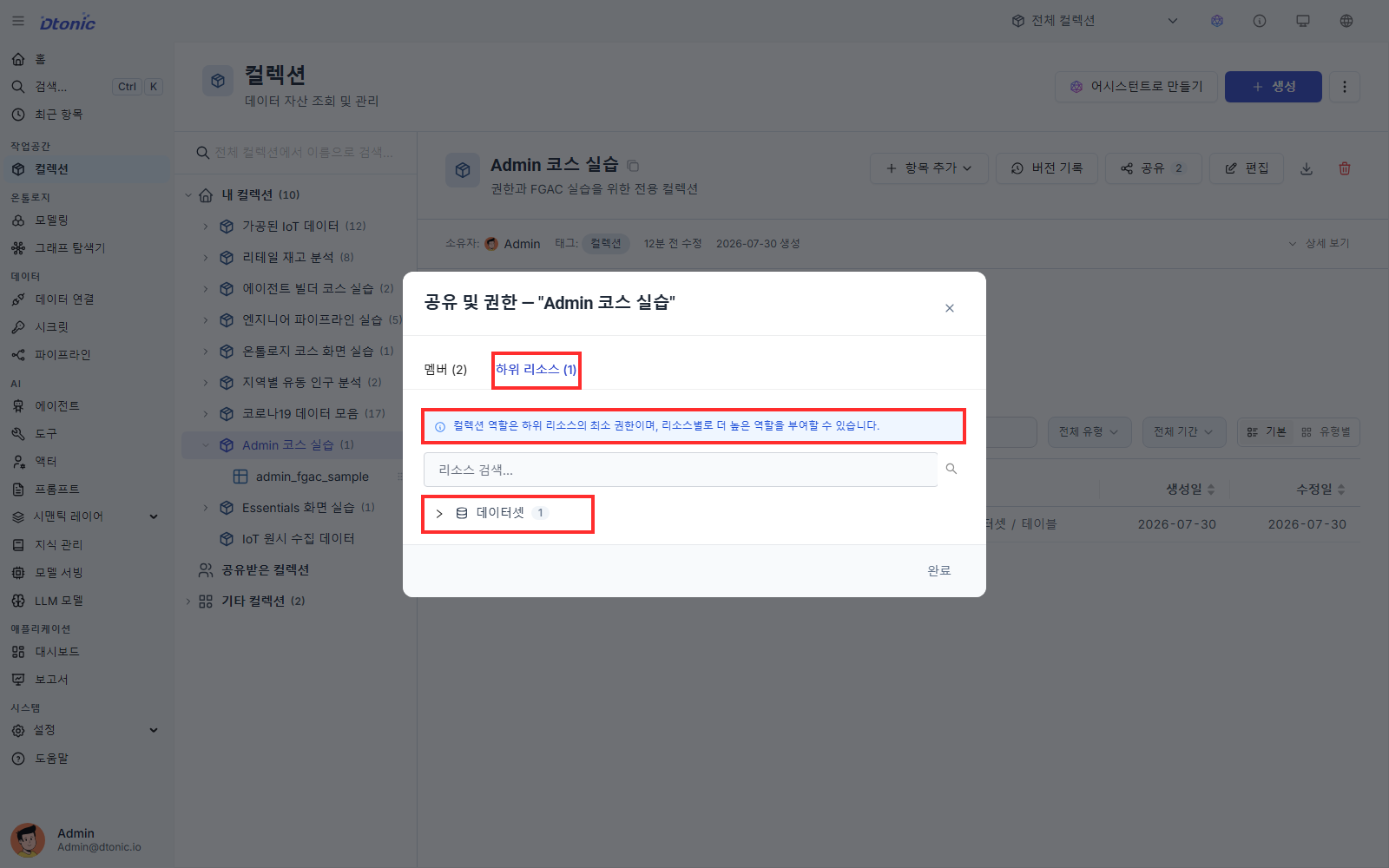
Layer 3: FGAC — narrowing within the same resource
While roles and collection inheritance control allowed actions, FGAC controls which columns and rows each user can see within the same dataset.
- Column masking — e.g. Within an HR dataset, show
salaryonly to the HR group. - Row filtering — e.g. Within a sales dataset, show each regional rep only their region's rows.
Authoring an FGAC policy is hands-on in Lesson 4. Here, remember that FGAC is the third layer after roles and collection permission inheritance.
The starting point of permission grants
The operational rule that falls naturally out of the layering: permission grants always start from a collection.
When onboarding a new team, first define its collection and grant the group a collection role. Add a higher role only on sub-assets where the group needs it, then use FGAC when visible columns or rows must be narrower.
What you should be able to do after this lesson
- Name what each of Role / collection permission inheritance / FGAC answers
- Explain how a collection role becomes a minimum inherited role and how an upward override works
- Apply the first rule — permission grants always start from a collection
Next lesson
Verify the external IdP connection and register an SSO user in D.Hub.