Ontology modeling
Connect multidimensional raw data into a structured semantic model and design the backbone of a knowledge graph.
This lesson turns raw data into a semantic model by defining entities, relationships, and identity rules inside the ontology layer.
Review the ontology list
Open Modeling under the Ontology group in the left sidebar. Review the ontologies that already exist and check how they are mapped to collections.
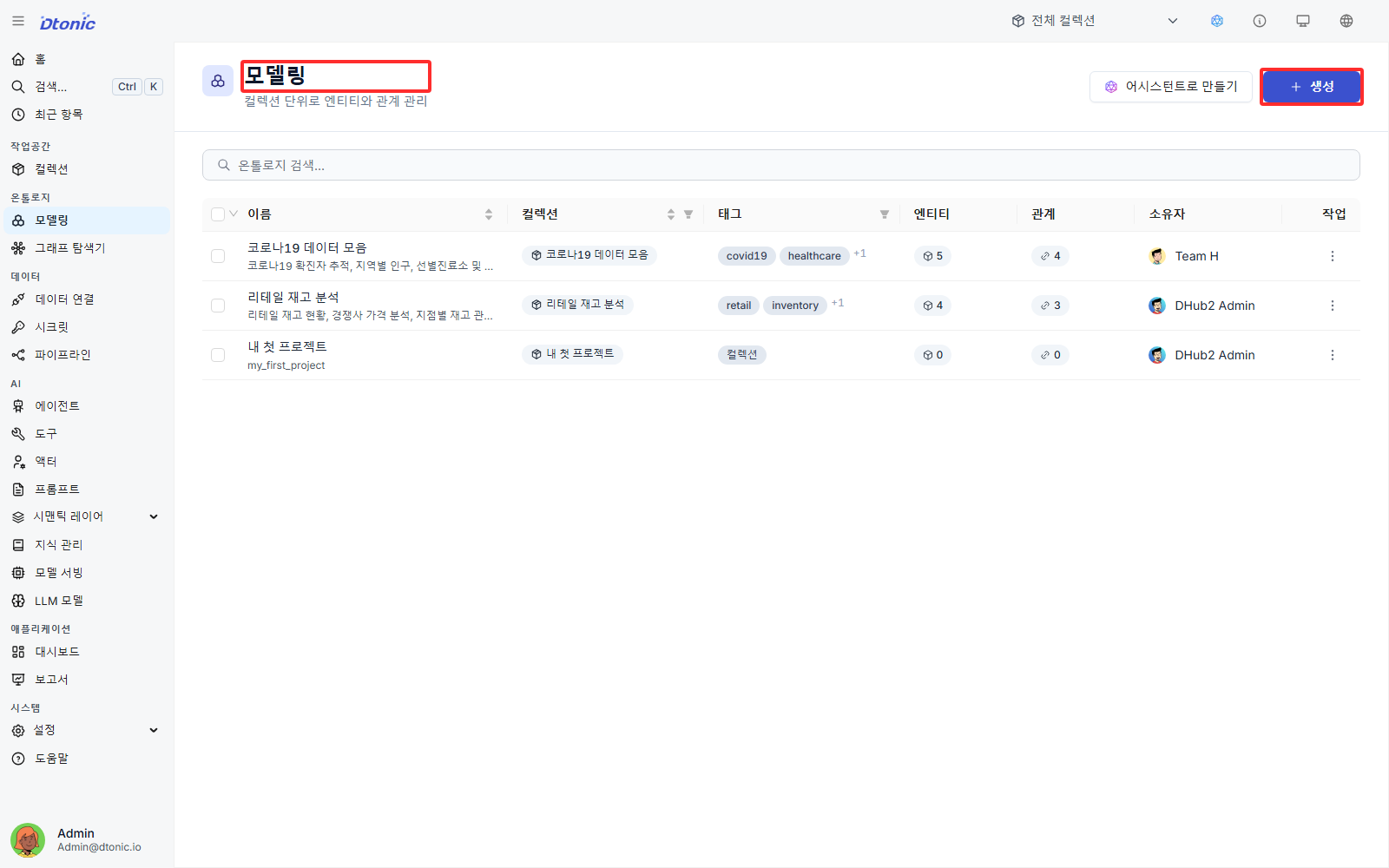
Enter the Ontology Builder
Click Create to open the Create Ontology dialog. Enter the required Name and Collection, optionally add an alias, description, and tags, and then click Create to open the Ontology Builder.
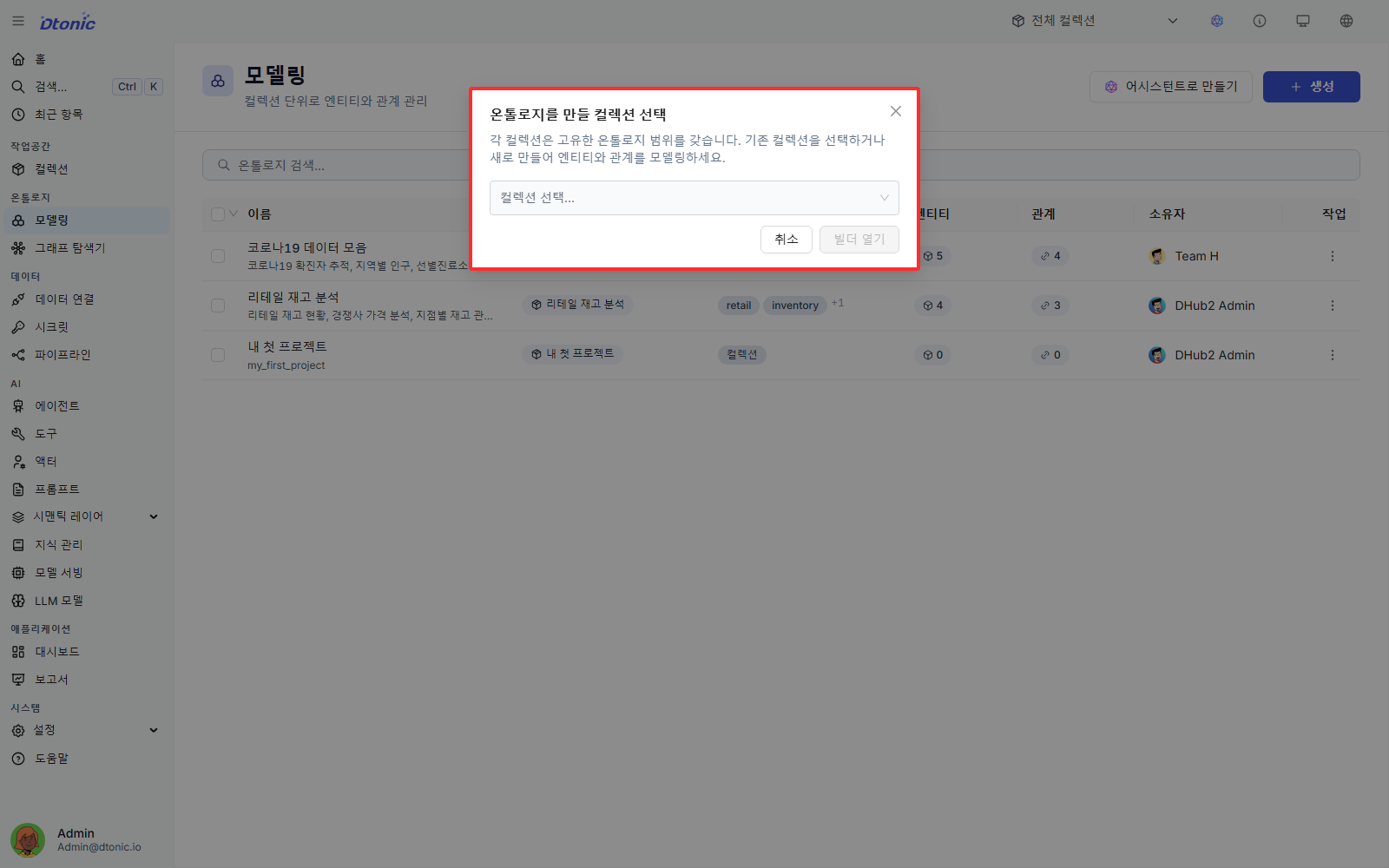
Work in the Ontology Builder
The Ontology Builder opens as a visual graph canvas. You place entity and relationship nodes directly on the canvas and connect them into the structure you need.
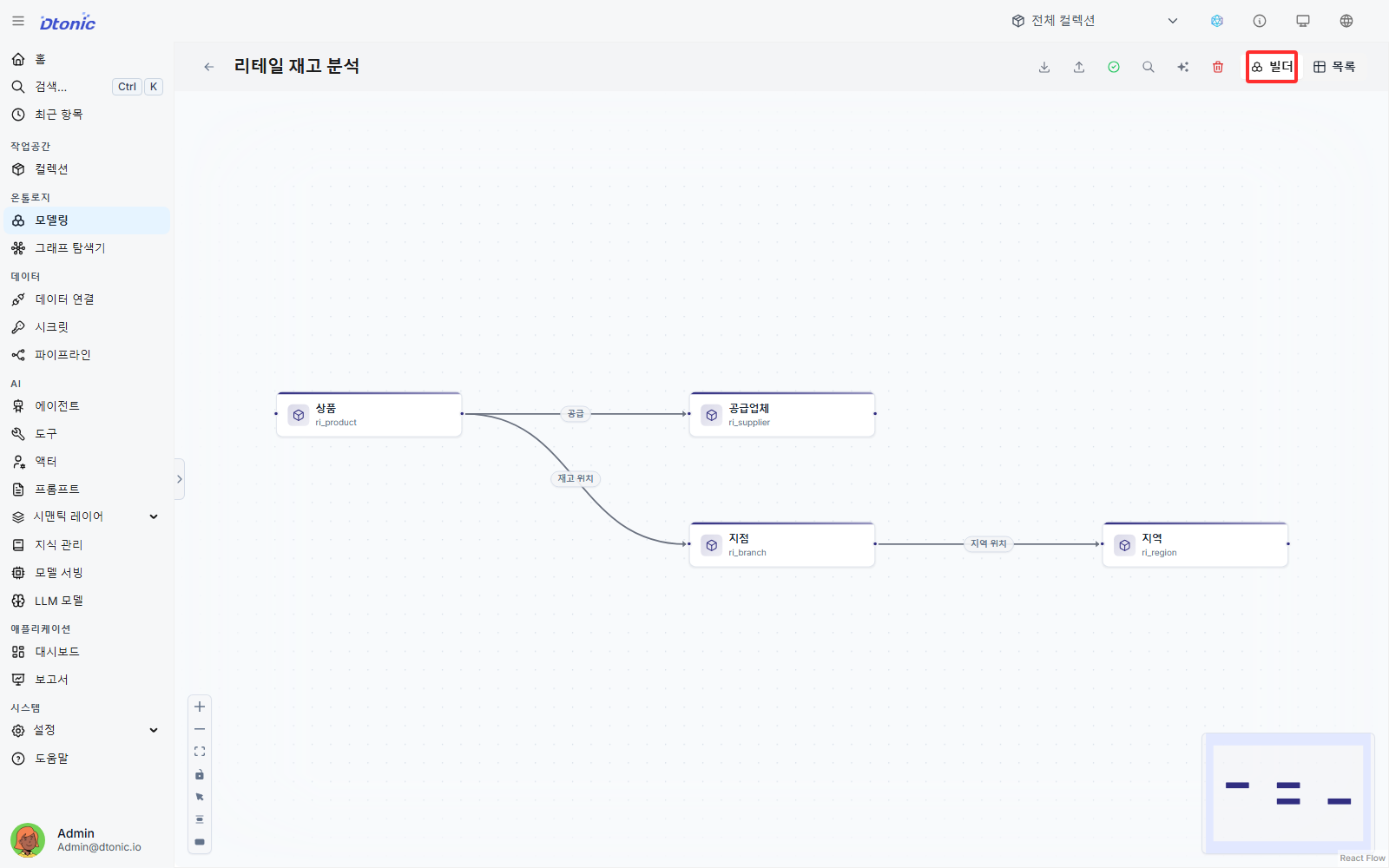
Create entities and relationships
Open List and use Create Entity or Create Relation to define the ontology items. They are then reflected on the Builder canvas.
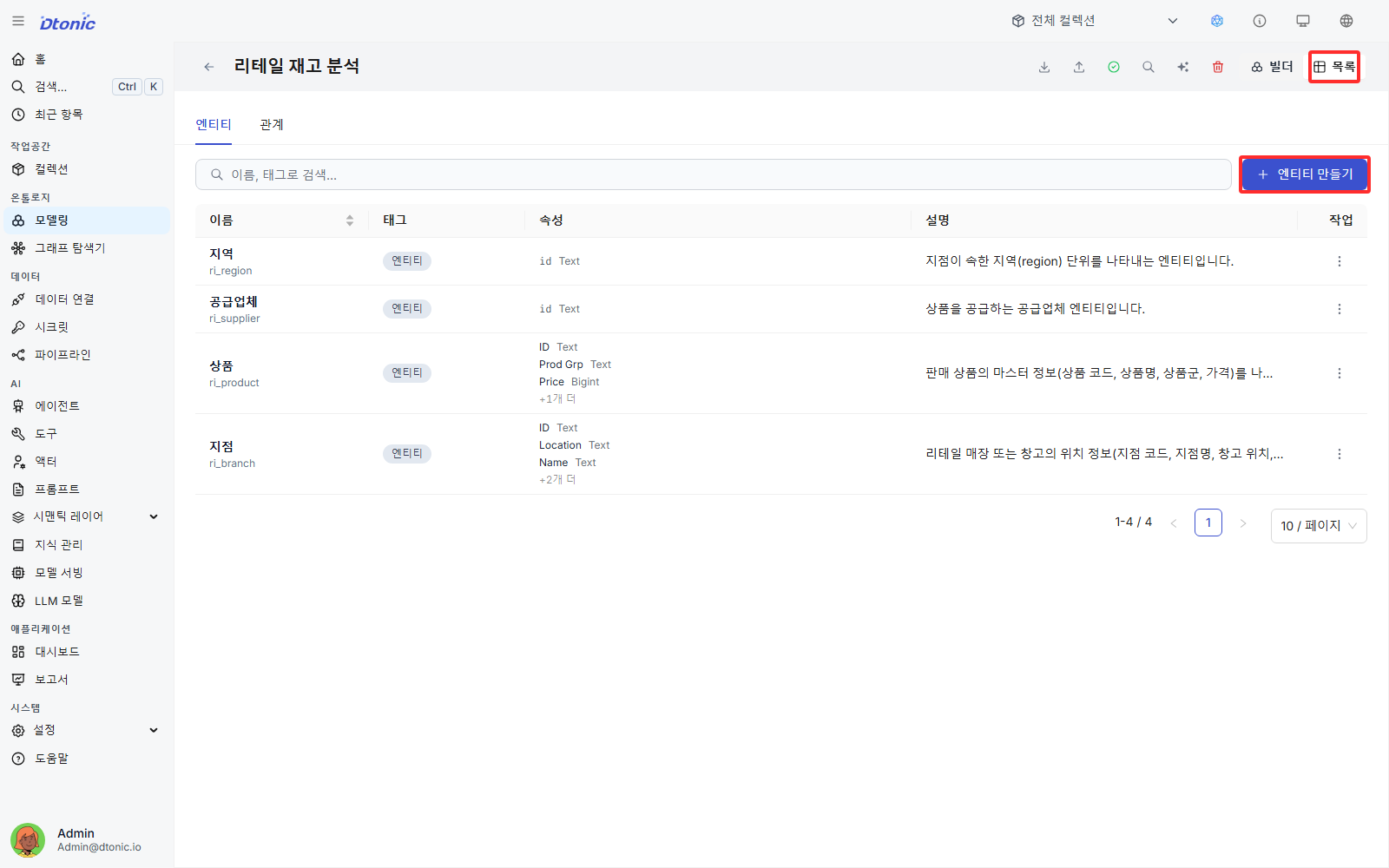
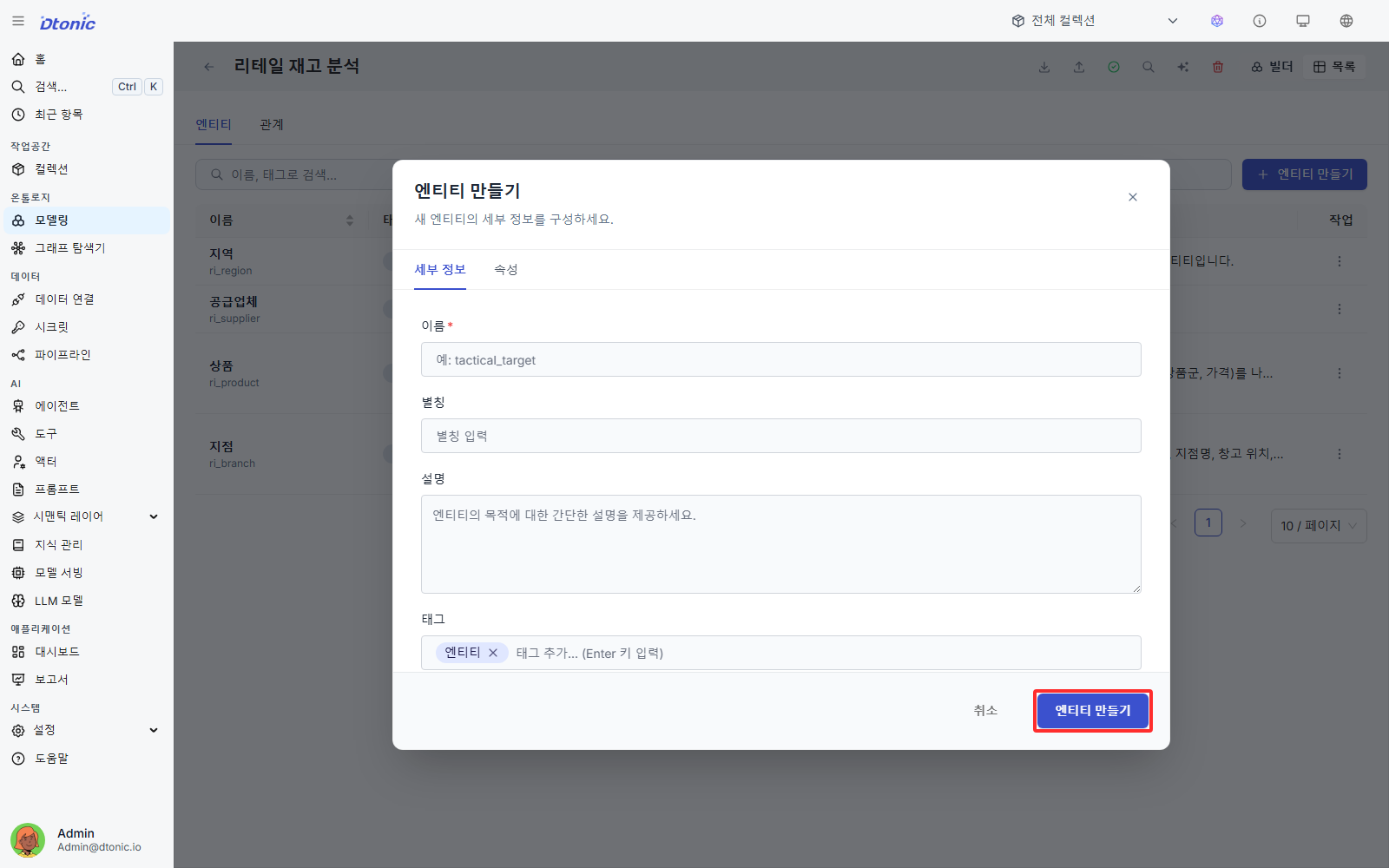
Fill in entity metadata
For each entity, enter the name, display alias, description, and tags.
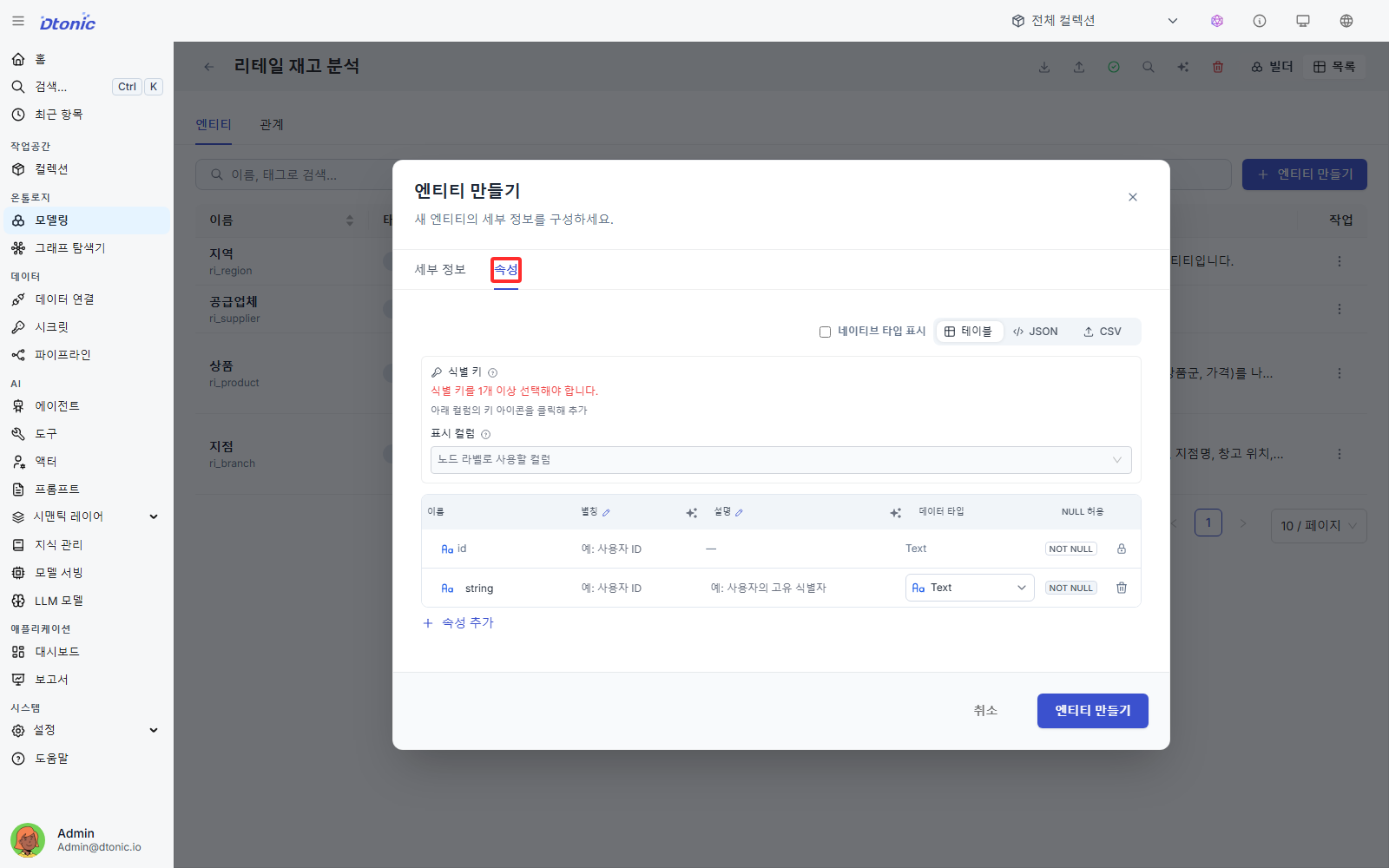
Define identity keys and properties
To preserve uniqueness and prevent duplicate loads, configure identity keys. You can also define a composite key when multiple fields together identify one business object. Then enter the property types and details for each entity field.
What you should be able to do after this lesson
- Explain why collection mapping must be chosen before entering the Ontology Builder
- Define entities, relationships, and identity keys, including composite keys
- Understand the difference between the integrity-focused storage path and the analytics-focused storage path
Next lesson
In the next lesson, you build a pipeline, load data, and connect the result to a dashboard.