Turn natural-language commands into safe chart control and audit history
Act as a fictional maritime operator and complete a flow that executes display commands safely without requiring zone IDs or coordinates while recording why requests were allowed or blocked.
0/7 chapters complete
An operator who does not know the coordinates
A request arrives in a fictional maritime operations room: “Show Busan Port Entry/Exit Control Zone.” The operator knows the zone name, but not its internal ID, latitude, longitude, or recommended scale. Sending natural language straight to the chart could also execute a misclassified query or configuration change.
In this Workshop, act as the maritime operator and answer one question.
How can an operator execute a natural-language command safely without knowing a zone ID or coordinates, while preserving the reasons and history for both allowed and blocked requests?
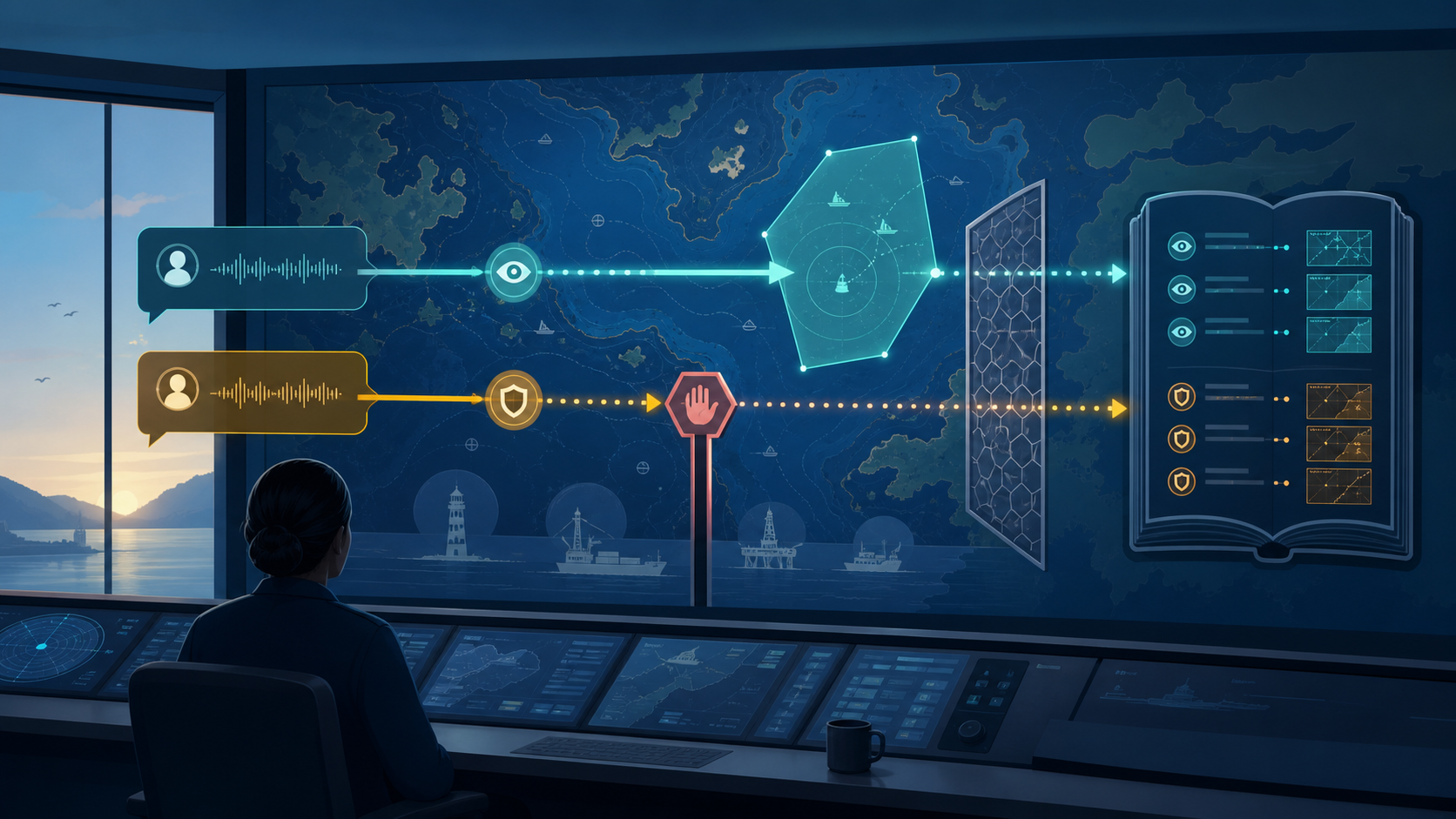
Decision criteria for this mission
- Perspectives in play — Operations wants to display a zone quickly from its name. Safety and audit must stop requests outside the allowed scope while preserving the reason for every allowed or blocked path.
- Decision constraints — The current Agent executes only
UI_CONTROLand blocksDATA_QUERY. Eight batch rows and Agent runtime events follow different execution contracts and must not be interpreted as one source. - Completion signals — Turn the Busan request into
TZ-008WGS84 coordinate JSON, stop the data query before execution, and find both outcomes again in the audit history for the same user.
Workshop goals
- Explain how a zone name in natural language becomes an internal ID and WGS84 coordinates.
- Separate display-control commands from operational-data questions before execution.
- Turn an allowed command into structured JSON and record a blocked request as an audit event.
- Distinguish reproducible batch records from Agent runtime events.
- Explain both the evidence and current linking limits across the dataset, graph, and dashboard.
Seven decisions
Loading the diagram. Mermaid source:
flowchart LR
    accTitle: Seven decisions in natural-language chart control
    accDescr: Frame the operator request, connect a zone to coordinates, run allowed and blocked paths, trace batch and runtime history, check the control boundary, and explain the safe loop.
    request["1. Frame request"] --> zone["2. Link zone and coordinates"]
    zone --> gate["3. Decide allowed scope"]
    gate --> run["4. Run both paths"]
    run --> trace["5. Trace two histories"]
    trace --> check["6. Check the boundary"]
    check --> explain["7. Explain control loop"]
Every chapter follows question → reason → action → observation → interpretation → next decision. The full asset inventory and implementation details stay under Deep dive, so you can follow the core route first.
Prerequisites
- A D.Hub Portal analyst or engineer account with Editor permissions or higher
- About 37 KB of download space for one scenario ZIP
- 90 minutes
You do not need a terminal, Python, or a clone of dhub2-examples. If scenario import is new to you,
start with Import and tour a complete hands-on scenario.
Learning journey
- Start with the request from an operator who does not know the coordinates15 minImport the Map Control scenario and define the evidence needed to handle one natural-language display request.
- Connect a zone name to map coordinates15 minInspect eight tactical zones and run the batch pipeline that produces WGS84 coordinates and scale.
- Separate display commands from data questions15 minCompare two real requests and understand the allow-list gate that executes only UI_CONTROL.
- Run the allowed command and blocked question in one session20 minStart the event pipeline and compare classification, coordinate JSON, and audit publication across both paths.
- Trace batch reference rows and runtime events separately15 minSeparate two execution contracts in event history and inspect the scope and current limits of the ontology graph.
- Check the safe-control boundary5 minBefore the final explanation, review zone resolution, the intent gate, audit events, and the graph boundary in four questions.
- Explain the safe natural-language control loop and finish the Workshop5 minConfirm allowed and blocked history on the dashboard, then connect the original request to its audit evidence.